Restaurant portal
More orders, none of them missed.
Sehteen brings you customers, a kitchen board that never sleeps, and analytics that tell you what actually sells. No setup fee, no monthly fee.
What you get
Built by asking kitchens what they need
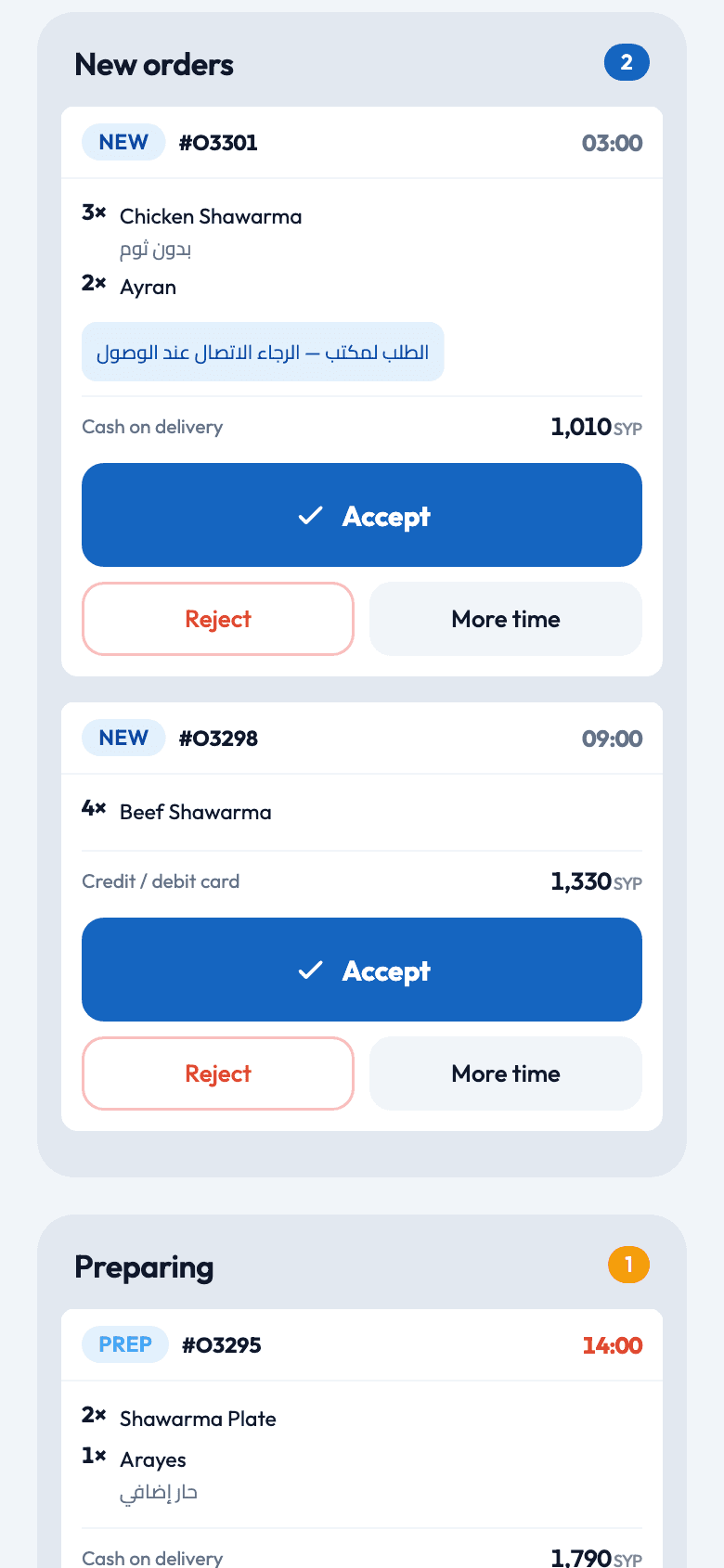
Live kitchen board
New orders chime and land in the New lane. Accept, ask for more time, mark ready - one tap each.
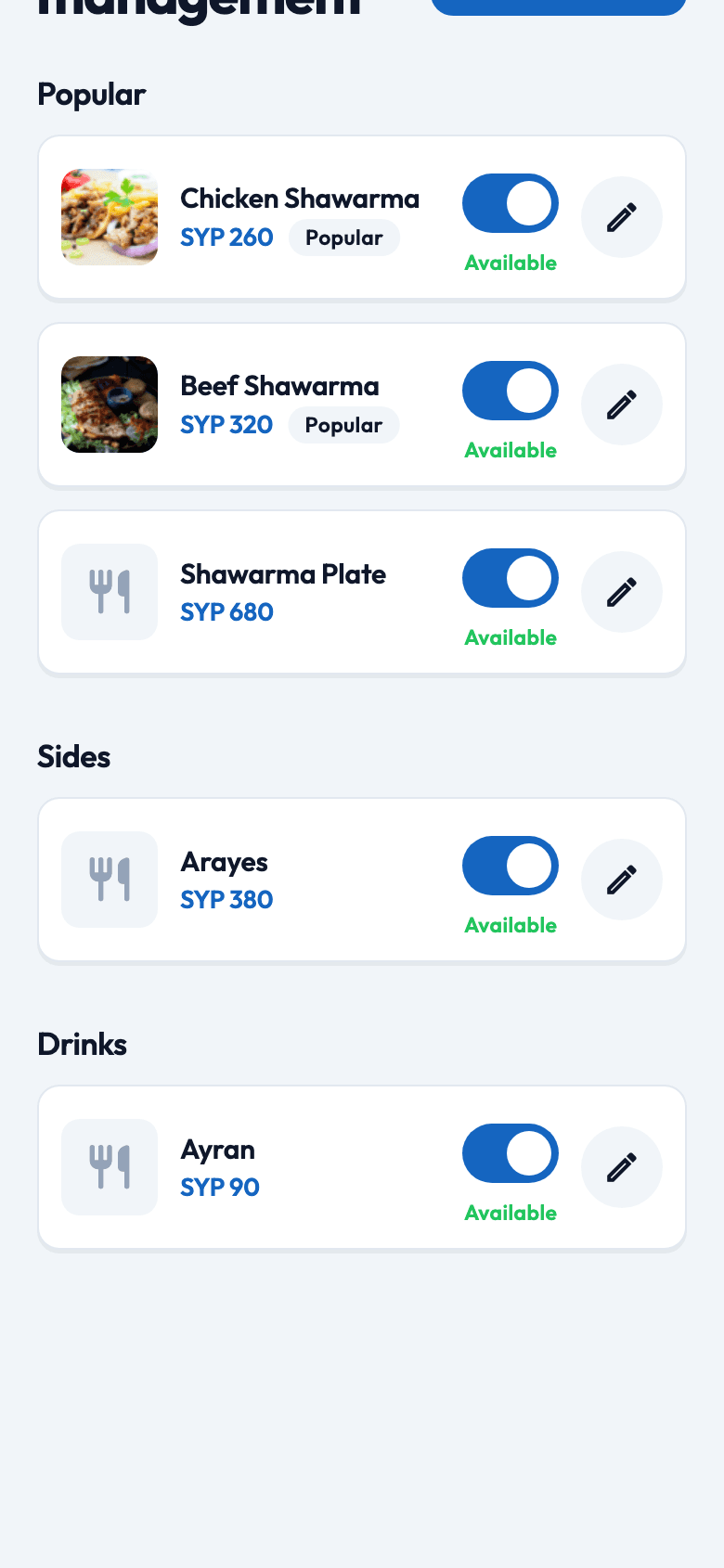
Your menu, your rules
Sections, photos, option groups, availability toggles and prices you can edit inline during service.
You set the terms
Delivery fee, minimum order, prep time, hours, and whether to auto-accept.
Couriers handled
When a ticket is ready, nearby couriers are offered it. You never dispatch a driver yourself.
Cash you can trust
Every order is cash on delivery, collected by verified couriers and settled through a ledger the platform audits.
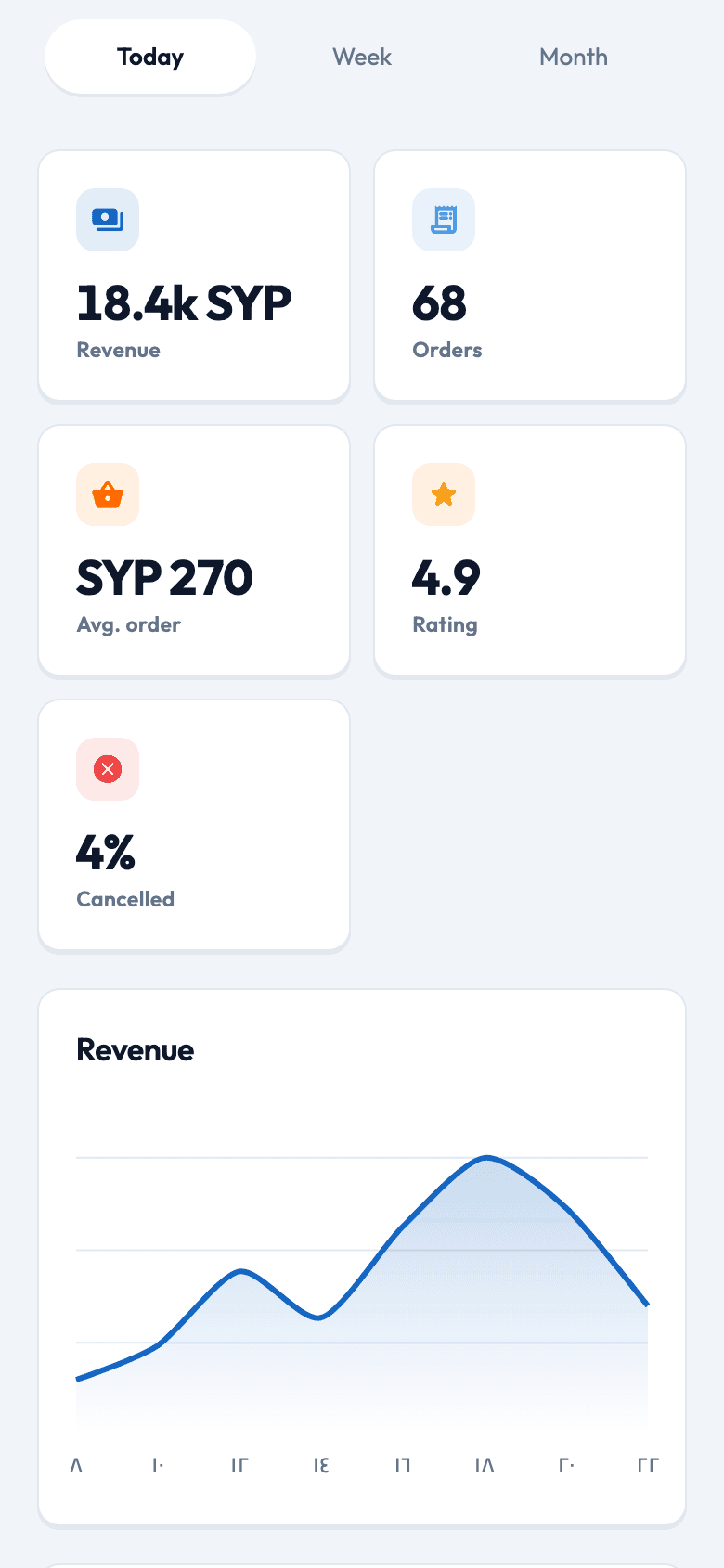
Numbers, not guesses
Revenue trend, peak hours and top items for today, 7 days and 30 days.
Kitchen board
Kitchen board that never misses a ticket
New, preparing and on-the-way lanes with a chime for every new order. Menu, availability, prices and prep time are edited in place during service, and analytics show what actually sold.
Kitchen boardLive
Tickets move lanes as the kitchen taps
New
2- #O330103:00
3× Chicken shawarma · 2× Ayran
No garlic
1,010 SYP Accept - #O329803:00
4× Beef shawarma
1,330 SYP Accept
Preparing
1- #O329514:00
2× Shawarma plate · 1× Arayes
Extra spicy
1,790 SYP Ready for pickup
On the way
1- #O329003:00
1× Mixed grill · 2× Hummus
Office order - call on arrival
2,140 SYPOn the way
Getting started
Live in three steps
- 1
Register
Create a restaurant account in the app or ask our team to set one up from the console.
- 2
Get approved
An operator reviews the venue and activates it. You see a “pending review” screen until then.
- 3
Go online
Build the menu, set your hours and fee, flip the switch to Open. Orders start arriving.
Live kitchen board
Menu management
Analytics
Put your kitchen on Sehteen.
Tell us about your restaurant and we will get back to you.